
New features in Hustro – January 2026
In the January update, we introduced improvements that make it easier to analyze inspections and provide greater control over report content.
📊 Live inspection score preview
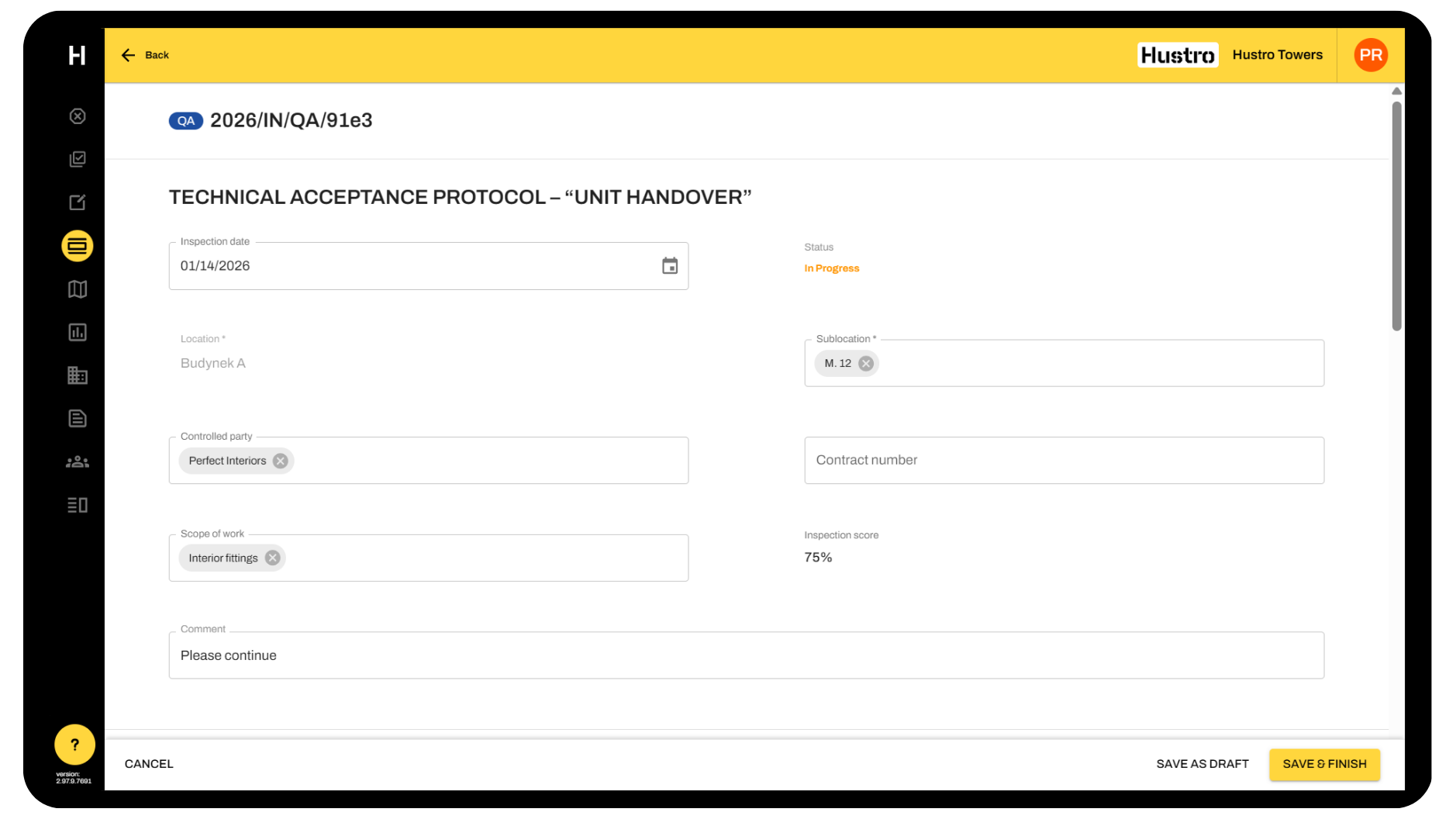
We introduced the ability to display the inspection score directly in the form while it is being filled in.
- the score is visible in the first section of the inspection form
- automatic update after each answer
- no need to save a draft or publish the inspection
- the score is presented as a percentage value
This allows users to immediately see how their current answers affect the final inspection result.
💬 Messages in PDF reports
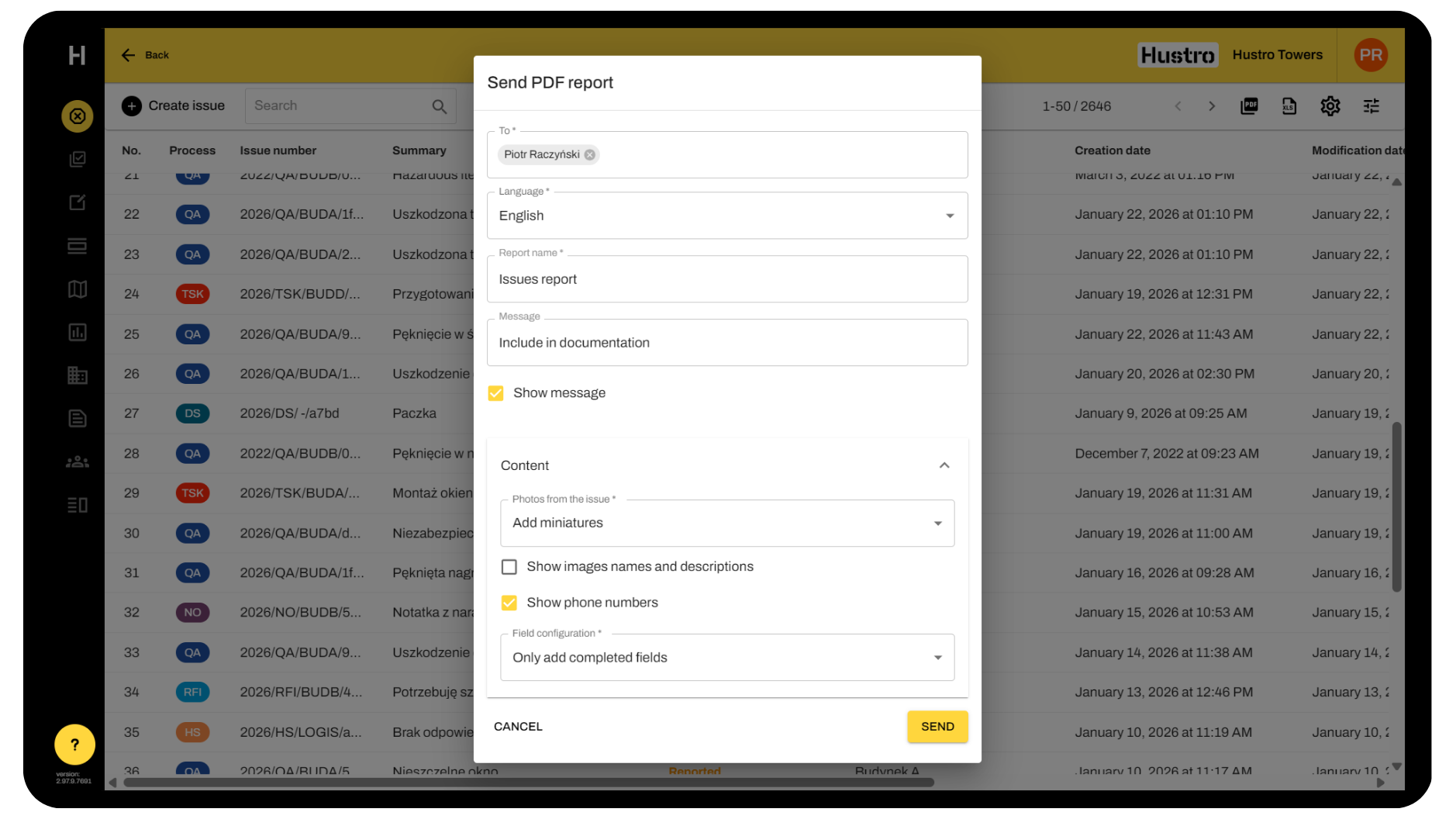
We added the ability to decide whether a message entered during report sending should be displayed in the PDF file.
- the “Show message” checkbox appears after entering any content
- selecting it displays the message in the report
- the setting is saved locally for the user
This makes it easy to control which information is shared with report recipients.
📞 Phone numbers in reports
We standardized and clarified the option for displaying phone numbers in reports.
- the option name was changed to “Show phone numbers”
- consistent naming across all language versions
- improved clarity of settings during report generation